
Check Your LESCO Bill Online – Download Your Duplicate Bill by Reference Number
Last updated:
Enter your 14-digit reference number or customer ID — view your current bill, due date and units in seconds. Free, no signup, no app.
- 100% Free Tool
- No Signup Required
- Official PITC Source
Quick answer: Type the 14-digit reference number from any old LESCO bill into the box above and press Check Bill. Your latest bill opens — you can view it, download or print a duplicate copy, and check the amount, due date and units. It is free and needs no account or signup. For complaints, call 118 or send an SMS to 8118.
How to Check Your LESCO Bill Online
A LESCO bill check online takes less than a minute and needs no account. All you need is the number printed near the top of an old electricity bill. Here's how it works:
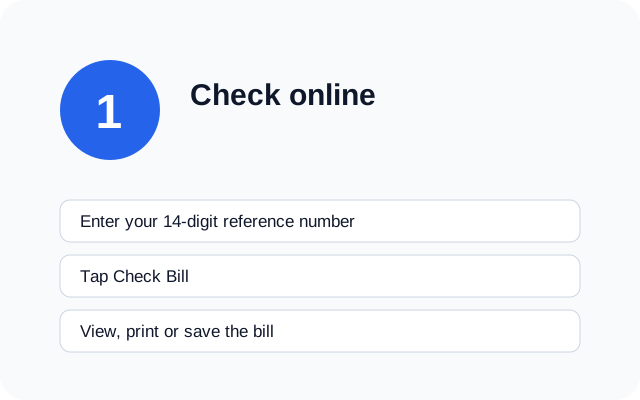
- Find the 14-digit reference number on any old bill or payment receipt. Don't have it? The 7-digit customer ID works too.
- Type it in the box at the top of this page, with no spaces or dashes, and tap Check Bill.
- The official PITC page opens with your amount, due date, units and recent history. Your number is copied, so just paste it there if asked. You can save a duplicate bill from the same page.
Lost every paper copy? Your bank or wallet receipts carry the same number. Our guide to finding your reference number lists every place it shows up.
No internet? Try SMS, the helpline or an office
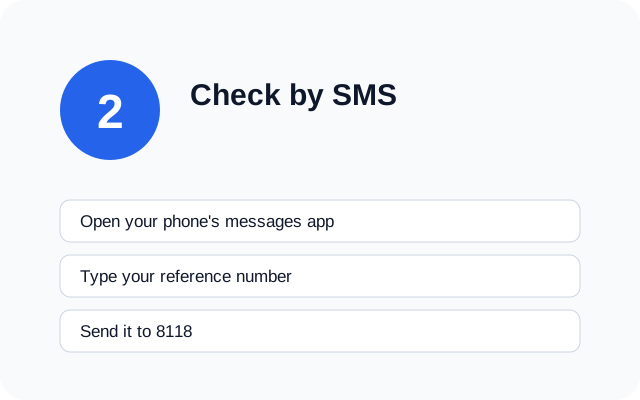
Send your 14-digit number, with nothing else, to 8118 and you'll get a text back with your electricity bill amount and due date. Your network may charge a few rupees for it. You can also sign up for monthly alerts through LESCO SMS registration.
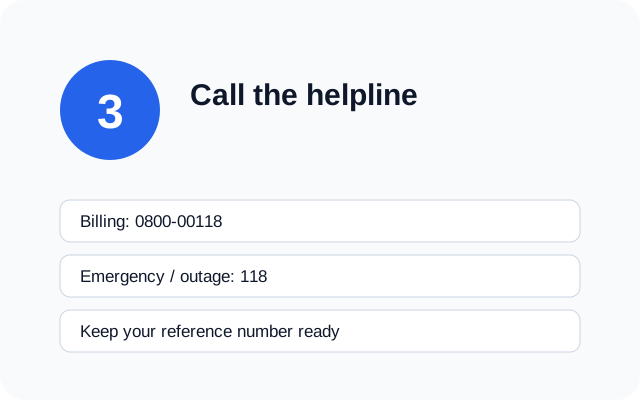
For billing questions call the toll-free line 0800-00118. For outages, sparking wires or other emergencies dial 118. Keep your number in front of you and write down any complaint ID the operator gives you. Every contact is on our helpline numbers page.
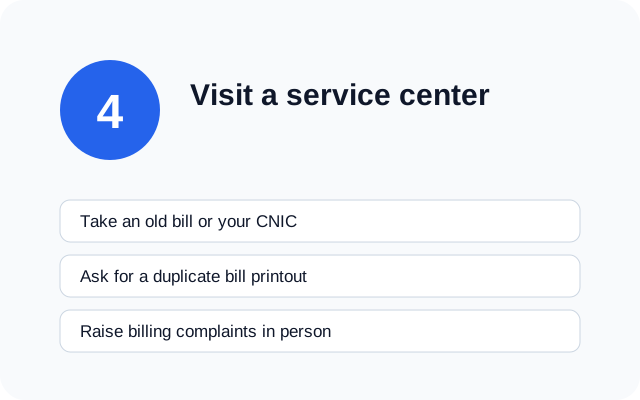
If a reading looks wrong and a phone call hasn't fixed it, visit the customer service centre named on your bill. Take an old bill and your CNIC, and ask for a meter check in writing. Staff there can also print a duplicate bill for you. Our complaint guide tells you what to bring.
LESCO Duplicate Bill – Download or Print Your Bill
A duplicate bill is a full copy of your current bill, with the same amount, due date and barcode as the paper one. Banks, JazzCash, Easypaisa and LESCO offices all accept it, so you don't need to wait for the paper bill to arrive or worry if it got lost.
Most people need one when the paper copy never turned up, got wet in the rain, or stayed with the landlord. Offices that ask for a recent electricity bill as proof of address will usually take a printed duplicate bill as well. At the bank counter, the cashier scans the barcode on a duplicate bill just like the original.
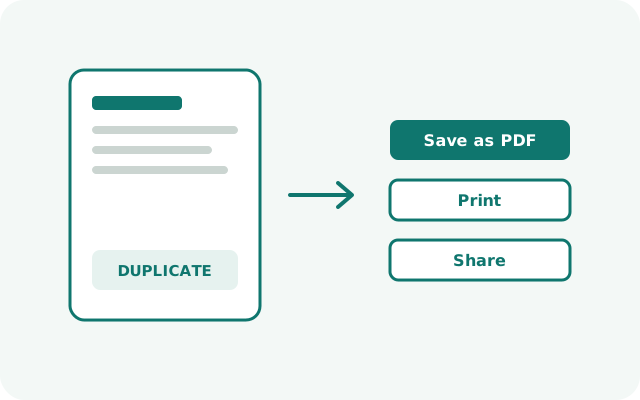
Getting one is simple. Open your bill with the tool above, then use the print button on the bill page. You can print it on paper or choose "Save as PDF" to keep a copy on your phone. The table below shows what to tap on each device.
| Device | How to save or print |
|---|---|
| Android | Tap the browser menu (⋮) → Share → Print, then choose "Save as PDF" or a nearby printer. |
| iPhone | Tap Share → Print, pinch out on the preview to make a PDF, then save it to Files. |
| Computer | Press Ctrl + P (Cmd + P on Mac), then pick your printer or "Save as PDF". |
If the bill page won't open near the due date, try again early in the morning. For more help, including what to do when the page shows an old month, see how to download your duplicate LESCO bill.
LESCO Previous Bill Check Online
Want to see what you paid a few months ago? You don't need old paper copies. When your current bill opens (the same page that gives you your duplicate bill), scroll down to the history box. It lists the last 12 months, with the units used, the amount billed and the amount paid for each month.
This is handy when a bill suddenly jumps. Put this month's electricity bill next to the same month last year and you'll quickly see whether you used more units or whether a charge changed. It also helps if you need proof of payments for a landlord or an office.
For anything older than 12 months, log in at lesco.gov.pk or ask your customer service centre for a printed statement. You can also call 118 and ask the operator to guide you. Our guide explains how to check your previous LESCO bill and read each column of the history table.
LESCO Bill Check by Customer ID
Every LESCO bill carries two numbers you can use. Next to the long 14-digit number there's a shorter 7-digit customer ID. The same number is also called the Consumer ID — 'Customer ID' and 'Consumer ID' are two names for the same 7-digit ID printed near the reference number on your bill.
Either number opens the same bill, so use whichever is easier to read on your copy. Just switch to the Customer ID tab in the tool above, type the seven digits and tap Check Bill. Keep that number handy when you call the helpline too, as operators often ask for it.
One warning: there's no official bill search by CNIC. Websites that ask for your CNIC to show a bill aren't using LESCO's system, so don't share it with them.
Check Your Bill on lesco.gov.pk and the PITC Portal
LESCO's own website, lesco.gov.pk, has a bill link that sends you to the PITC portal at bill.pitc.com.pk. PITC is the government company that runs billing for all the power distribution companies, so your electricity bill data sits in one place and every LESCO bill check online ends up on the same PITC record. Our tool simply takes you there in one tap.
| Option | What you need | Speed |
|---|---|---|
| Tool on this page | Reference number or customer ID | One tap to the official page |
| lesco.gov.pk | Reference number | Fast, can slow near due dates |
| PITC portal | Reference number | Often slow near due dates |
Because the data comes from one place, the amount you see is the same whichever door you use. If one route is slow, the others will be too, so waiting a little usually works better than switching sites.
Understanding Your LESCO Bill
A LESCO bill packs a lot of codes and charges onto one page. Here's what the main fields mean and where to read more.
Reference number
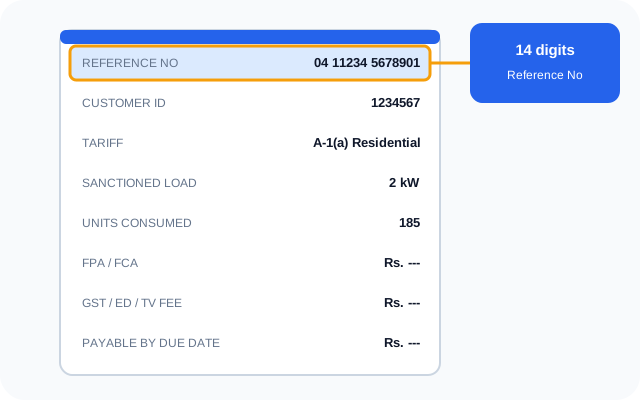
The 14-digit reference number is your connection's billing identity. Banks, wallets and online checks all ask for it, and it stays the same month after month. Learn more on the reference number page.
Customer ID
The shorter 7-digit number printed beside it. It's covered in the customer ID section.
Tariff code
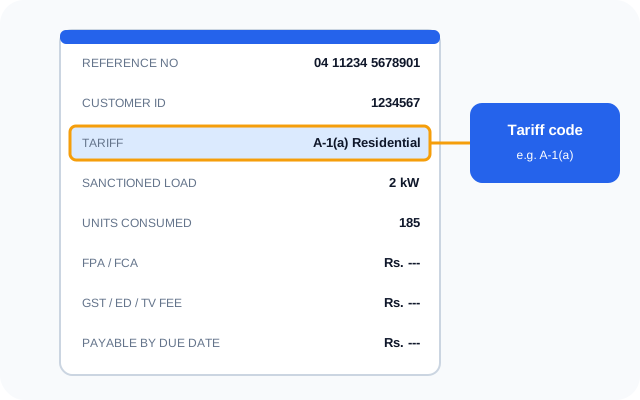
The tariff code shows your category, for example a residential code such as A-1. Home users are split into protected consumers and non-protected consumers, and that decides which slab rates apply.
Sanctioned load
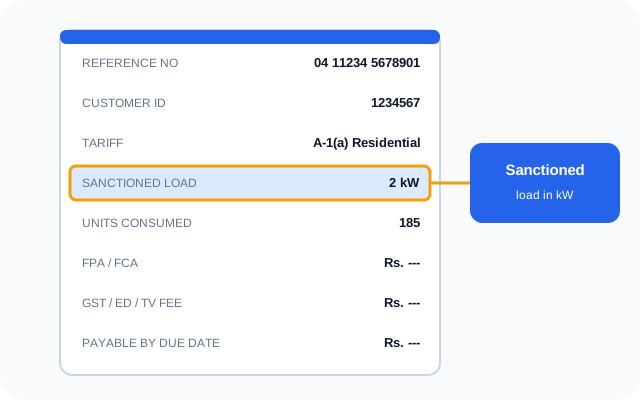
Sanctioned load is the maximum load in kilowatts approved for your connection. It affects fixed charges and, for some users, whether time-of-use metering applies. See our peak hours guide for how that works.
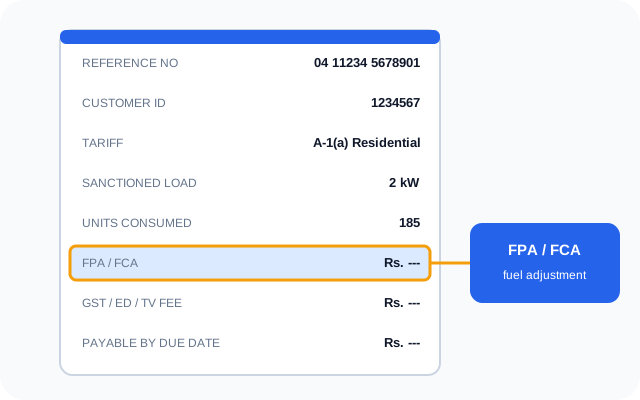
FPA / FCA (fuel charges adjustment)
This per-unit charge or credit passes changes in fuel cost on to you. NEPRA notifies it, so it can move your bill even when your units stay the same. The FPA charges explainer shows how it's worked out.
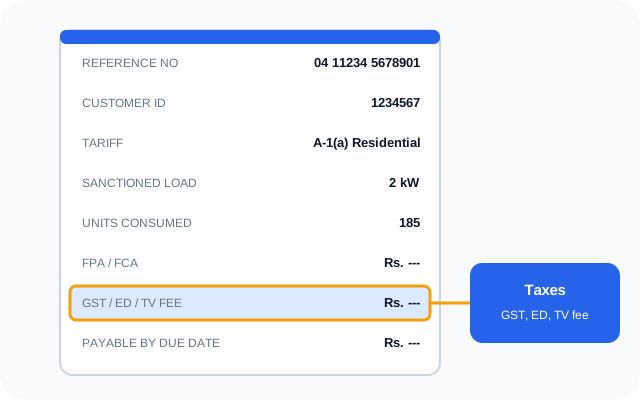
GST, electricity duty and TV fee
On top of the energy cost come government levies: 18% sales tax for non-protected users (protected users are exempt), 1.5% electricity duty and a fixed PTV fee of Rs 35. Income tax can also apply on larger bills. The bill taxes guide breaks down each line.
Neelum-Jhelum surcharge
Some bills have carried a Neelum-Jhelum surcharge, a per-unit levy linked to the hydropower project. Check your own bill to see whether it currently applies.
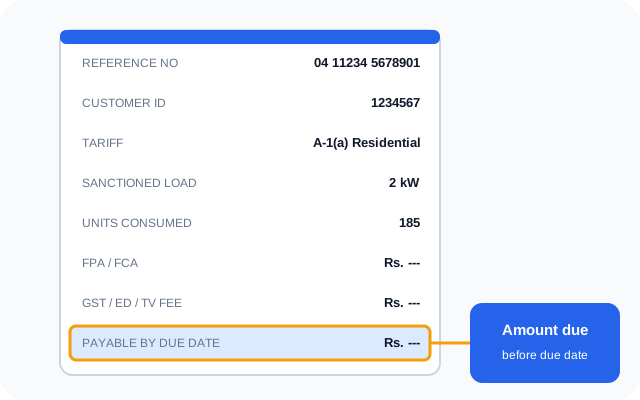
Payable amount and due date
The bottom of the bill shows the amount payable by the due date and the higher amount after it. The gap is the late payment surcharge. Paying a few days early through a bank app keeps you safe.
QR code
Newer LESCO bills also print a QR code. Scanning it with your phone camera or a supported bank app opens your bill details quickly, and some apps let you pay straight from the scan. Older bills without a QR code work exactly the same way — the 14-digit reference number is all you need.
LESCO Tariff & Unit Rates 2026
Home rates follow NEPRA's slab structure (NEPRA / S.R.O. 279(I)/2026). The more units you use in a month, the higher the rate for that slab, and this is the biggest part of how your electricity bill is worked out.
Protected status matters a lot. If your home used 200 units or fewer in each of the last six months, you get the lower protected rates below and you don't pay sales tax. Go over 200 units even once and the rates on your LESCO bill switch to the non-protected table for the next six months, which is why one hot month can push up later bills too.
Protected residential consumers
| Units per month | Rate (Rs/unit) |
|---|---|
| 01 — 100 units | 10.54 |
| 101 — 200 units | 13.01 |
Non-protected residential consumers
| Units per month | Rate (Rs/unit) |
|---|---|
| 01 — 100 units | 22.44 |
| 101 — 200 units | 28.91 |
| 201 — 300 units | 33.10 |
| 301 — 400 units | 36.46 |
| 401 — 500 units | 38.95 |
| 501 — 600 units | 40.22 |
| 601 — 700 units | 41.85 |
| Above 700 units | 47.20 |
The latest notified Fuel Charges Adjustment is Rs 1.1086 per unit (NEPRA S.R.O. 1754(I)/2026). Rates checked against the NEPRA notification. Fixed charges and lifeline rates are listed with the current LESCO unit rates.
Curious what next month will cost? Read your meter, take away last month's reading and enter the units in our LESCO bill calculator. It adds the slab rate, fuel adjustment and taxes, so you can plan ahead.
How to Pay Your LESCO Bill + Check Paid Status
You can pay your LESCO bill from home in a couple of minutes. Every payment channel asks for the same 14-digit number, so have it ready. You can also pay with a printed duplicate bill at any bank counter. Pick whichever suits you:
| Method | How it works | Charges |
|---|---|---|
| JazzCash | Bill payment → Electricity → LESCO, enter the number | Check with the provider |
| Easypaisa | Bill payment → Electricity → LESCO, enter the number | Check with the provider |
| Bank app | Bill payment → Electricity → LESCO | Usually free |
| Bank ATM | Bill payment menu on a 1Link ATM, choose LESCO | Check with your bank |
| Raast | Check your bank app for Raast bill payment support | Check with your bank |
Paying close to the due date
Payment apps and the billing server get busy in the last two days before the due date. If you can, pay three or four days early. If you're paying on the last day, use a bank app rather than an ATM, take a screenshot of the confirmation, and save the transaction ID. That proof settles any late fee added by mistake.
How long payments take to post
| Payment method | Typical posting time |
|---|---|
| Bank app / internet banking | Same day to 24 hours |
| JazzCash / Easypaisa | 24–48 hours |
| ATM | Up to 24 hours |
| Bank branch (1Link) | Same day if paid before cut-off, otherwise next working day |
Once your payment posts, open your bill again: the payable amount drops to zero, or the next month's bill shows. Keep the receipt until then. Receipts and fixes for every channel are in our payment methods guide, and you can also confirm whether your bill is paid.
LESCO Areas
LESCO supplies power across five districts: Lahore, Kasur, Sheikhupura, Nankana Sahib and Okara. They're grouped into eight operation circles. Every LESCO bill shows your circle and subdivision near the top, which helps when you call about an outage or visit an office.
| Operation circle | District |
|---|---|
| North Lahore | Lahore |
| Central Lahore | Lahore |
| Eastern Lahore | Lahore |
| South-Eastern Lahore | Lahore |
| Okara | Okara |
| Sheikhupura | Sheikhupura |
| Kasur | Kasur |
| Nankana | Nankana Sahib |
Every home and shop in these districts gets a monthly electricity bill from LESCO, whether it's in a busy Lahore market or a village near Okara. Outage times differ by feeder, so check the load-shedding schedule guide for your area.
LESCO Bill Questions Answered
How can I check my LESCO bill online?
The fastest LESCO bill check online is the tool at the top of this page. Type your 14-digit reference number or 7-digit customer ID, press Check Bill, and your latest bill opens on the official PITC site.
How can I check my previous LESCO bill?
Open your current bill and look at the 12-month history box. Full steps are in the previous bill section above.
What is the difference between the reference number and the customer ID?
Both open the same bill; the reference number has 14 digits and the customer ID has 7. See the customer ID section above.
Where is the reference number printed on my bill?
It is printed near the top of the bill, usually on the left-hand side, as a 14-digit number. Use all 14 digits without spaces or dashes when checking online.
What is the serial number on a LESCO bill?
The serial number identifies the printed bill copy in LESCO's billing batch. It is not used for checking your bill online; use the reference number instead.
What happens if I pay my LESCO bill late?
Paying after the due date adds a late payment surcharge of around 5–10% to the bill. A payment made on the due date counts as on time, so keep your receipt in case a surcharge is added by mistake.
Why is my LESCO bill so high this month?
Common reasons are crossing a slab limit (for example going above 200 units), losing protected status, a large fuel adjustment, a wrong meter reading, or arrears from a previous month. Compare the units on your bill with your meter reading first.
How do I check if my LESCO bill is paid or not?
Check your bill online after payment. Once the payment posts (see the posting-times table in the payment section above), the payable amount drops to zero or shows your next bill.
My SMS to 8118 is not working. What should I do?
Make sure you sent only your 14-digit number with no spaces, and that your mobile balance allows short-code SMS. If there is still no reply, use the tool on this page or call the billing helpline 0800-00118.
The PITC bill site is slow or not loading. What can I do?
The official billing server can slow down near due dates. Try again early in the morning, or pay through your bank app, which uses the same number.
Can I download a duplicate LESCO bill?
Yes, any time, as a PDF or a print. The steps are in the duplicate bill section above.
Is checking my LESCO bill on this site free?
Yes. Every tool and guide on this site is free to use.
Is lescobillonline.com an official LESCO website?
No. It's an independent guide. Your bill itself always opens on the official PITC billing site.
What is FPA on my bill?
FPA, also printed as FCA (fuel charges adjustment), is a per-unit charge or credit that reflects changes in the fuel cost of generating electricity. NEPRA notifies it, and it can change from month to month.
What is the LESCO helpline number?
For power emergencies and outages dial 118. For billing questions and complaints call the toll-free number 0800-00118.
What is sanctioned load?
Sanctioned load is the maximum electrical load (in kW) LESCO has approved for your connection. It affects your tariff category and fixed charges, and exceeding it regularly can lead to penalties.
Which areas does LESCO cover?
Lahore, Kasur, Sheikhupura, Nankana Sahib and Okara. The full list of circles is in the LESCO areas table above.
How do I check my LESCO bill on www.lesco.gov.pk?
The bill link on lesco.gov.pk takes you to the same PITC page our tool opens. See the lesco.gov.pk section above.
What is a LESCO WAPDA bill check?
LESCO took over WAPDA's network around Lahore, so many people still call it a WAPDA bill. A WAPDA bill check here is the same thing: look up your LESCO bill with your reference number.
LESCO ka bill online check karne ka tarika kya hai?
Is page ke upar bill check box mein apna 14-digit reference number likhein (spaces ke baghair) aur Check dabayein. Aapka current bill, due date aur units samne aa jayenge.
LESCO bill check karna — reference number kahan se milega?
Reference number aapke kisi bhi purane bill ke upar left side par 14 digits mein likha hota hai. Bank ya JazzCash/Easypaisa ki payment receipt par bhi hota hai.
Bijli ka bill zyada aaye to kya karein?
Pehle bill ke units ko apne meter ki reading se milayein. Agar reading ghalat hai to 0800-00118 par call karein ya LESCO complaint register karein, aur bill ki copy saath rakhein.
Can I estimate my bill before it arrives?
Yes. Read your meter, subtract last month's reading to get the units used, and enter them in the calculator linked above for an estimate including taxes.
Can I check my LESCO bill by CNIC, name or meter number?
No. There is no official LESCO or PITC bill search by CNIC, name or meter number. A bill can only be opened with the 14-digit reference number or the 7-digit customer ID printed on any old bill. If you have lost every bill, call 118 or 0800-00118 — after verifying your connection details, the operator can help you recover your reference number.
Why does my bill show 'No Record Found' or last month's bill?
First check the digits: type all 14 digits with no spaces or dashes, and pick U or R to match the letter printed on your bill. If the number is correct, your new bill has probably not been uploaded yet — bills are uploaded in batches through the month, and seeing last month's bill means your batch is still pending, so try again after a day. Near the due date the PITC server also slows down; early morning usually works.
Facts on this page checked against lesco.gov.pk, bill.pitc.com.pk and NEPRA notifications.
Written and reviewed by Faitma, LESCO Bill Online editor